Scenario 1: Your Email is Linked to a PayPal Account

If PayPal recognizes your email as already linked to an existing PayPal account, here’s what you’ll see:
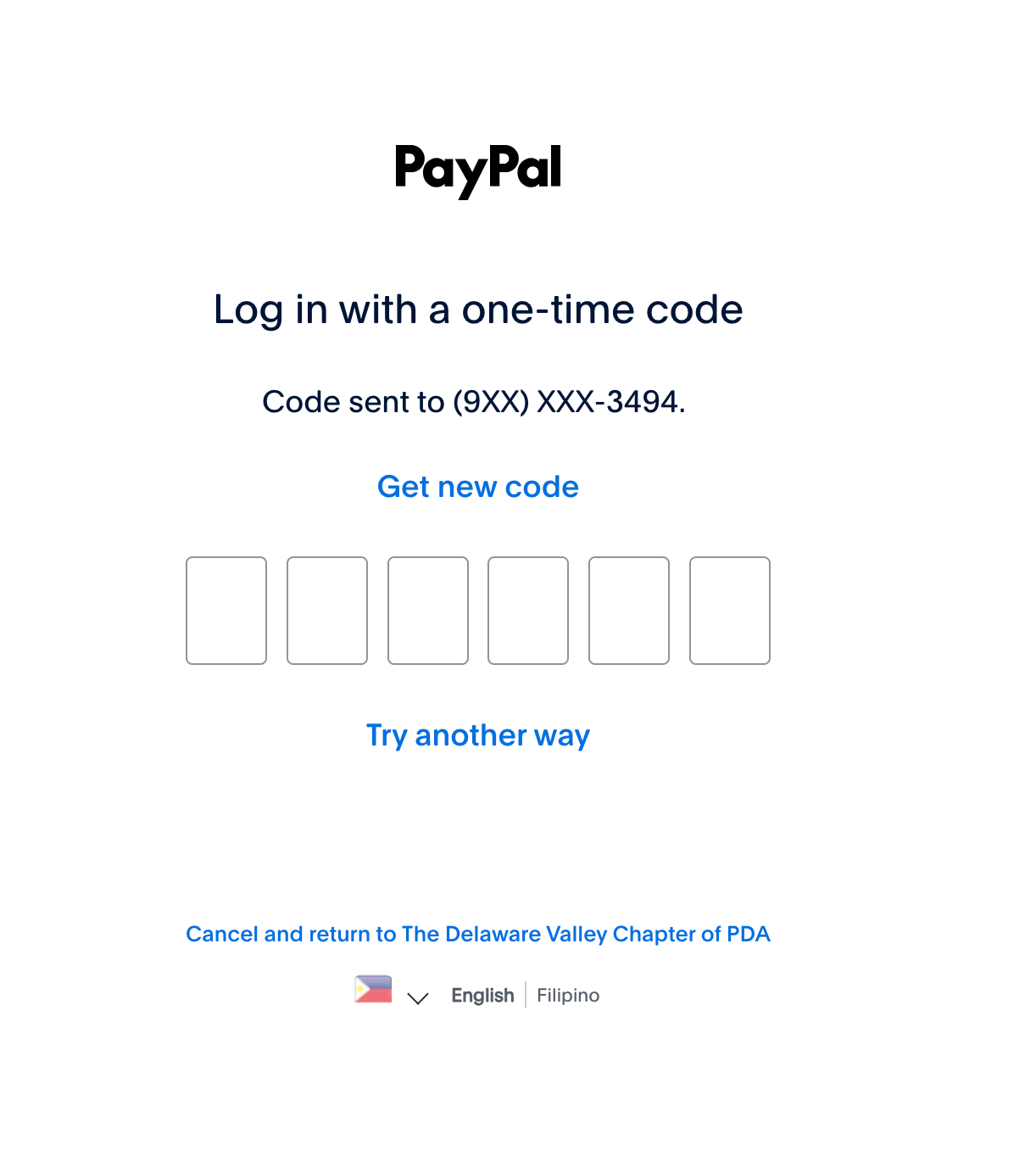
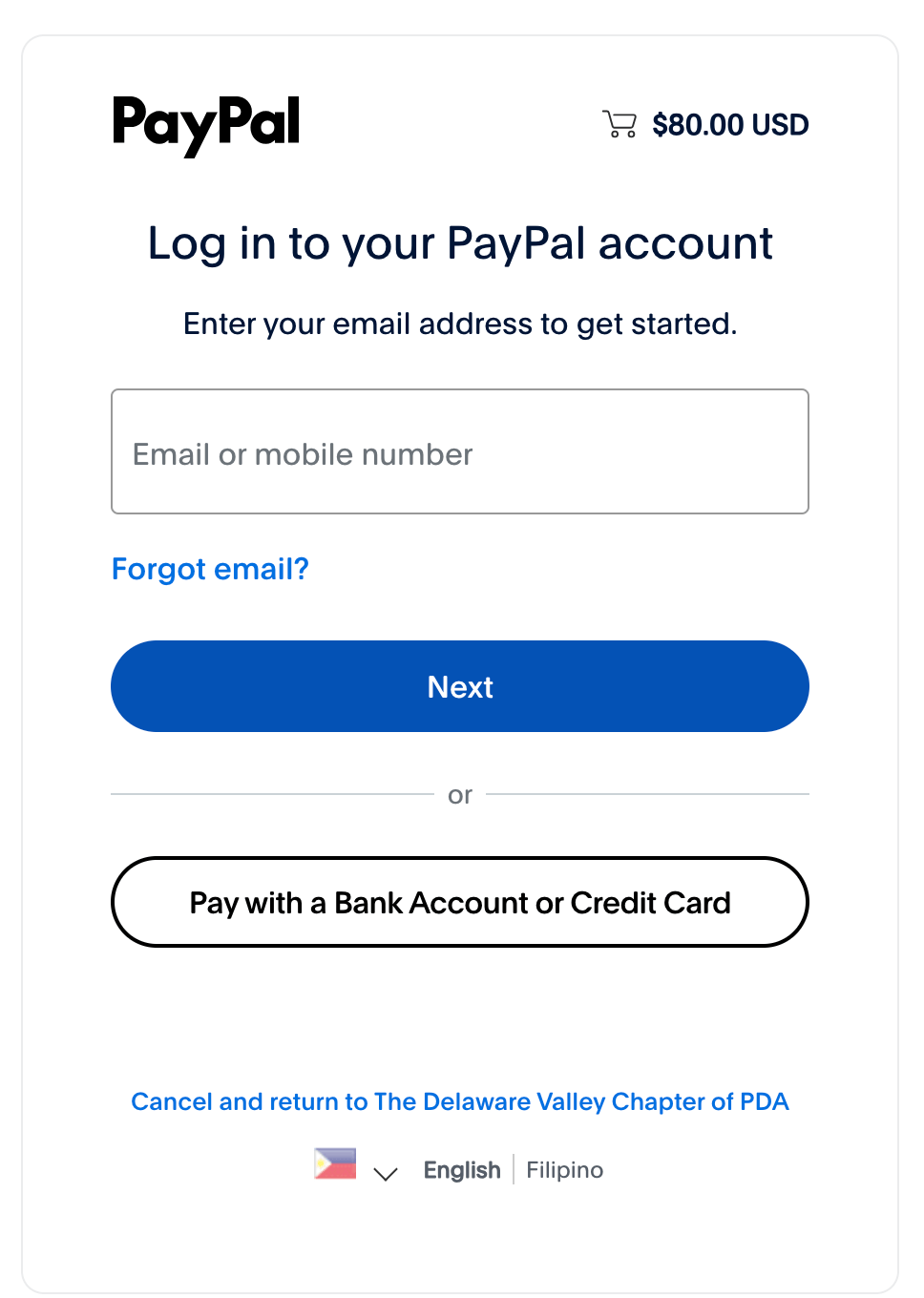
1. Login Screen Appears
If your email is associated with a PayPal account, this screen will be displayed. Ignore the 6-Digit Code Request, PayPal may ask for a 6-digit code. You can skip this by selecting "Try another way."
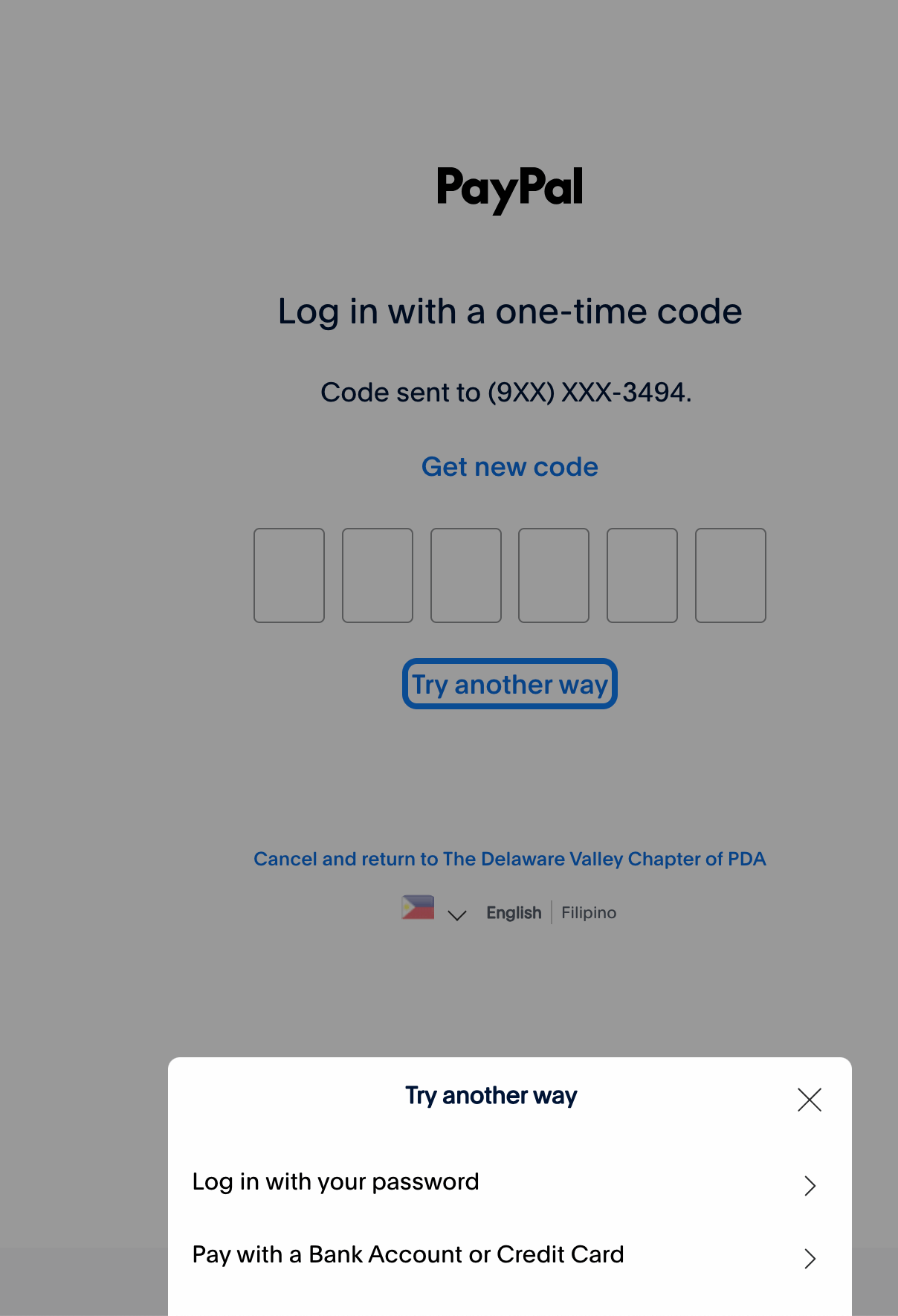
2. Select "Pay with a Bank or Credit Card"
A section will slide up from the bottom of the page. Click "Pay with a bank or credit card."
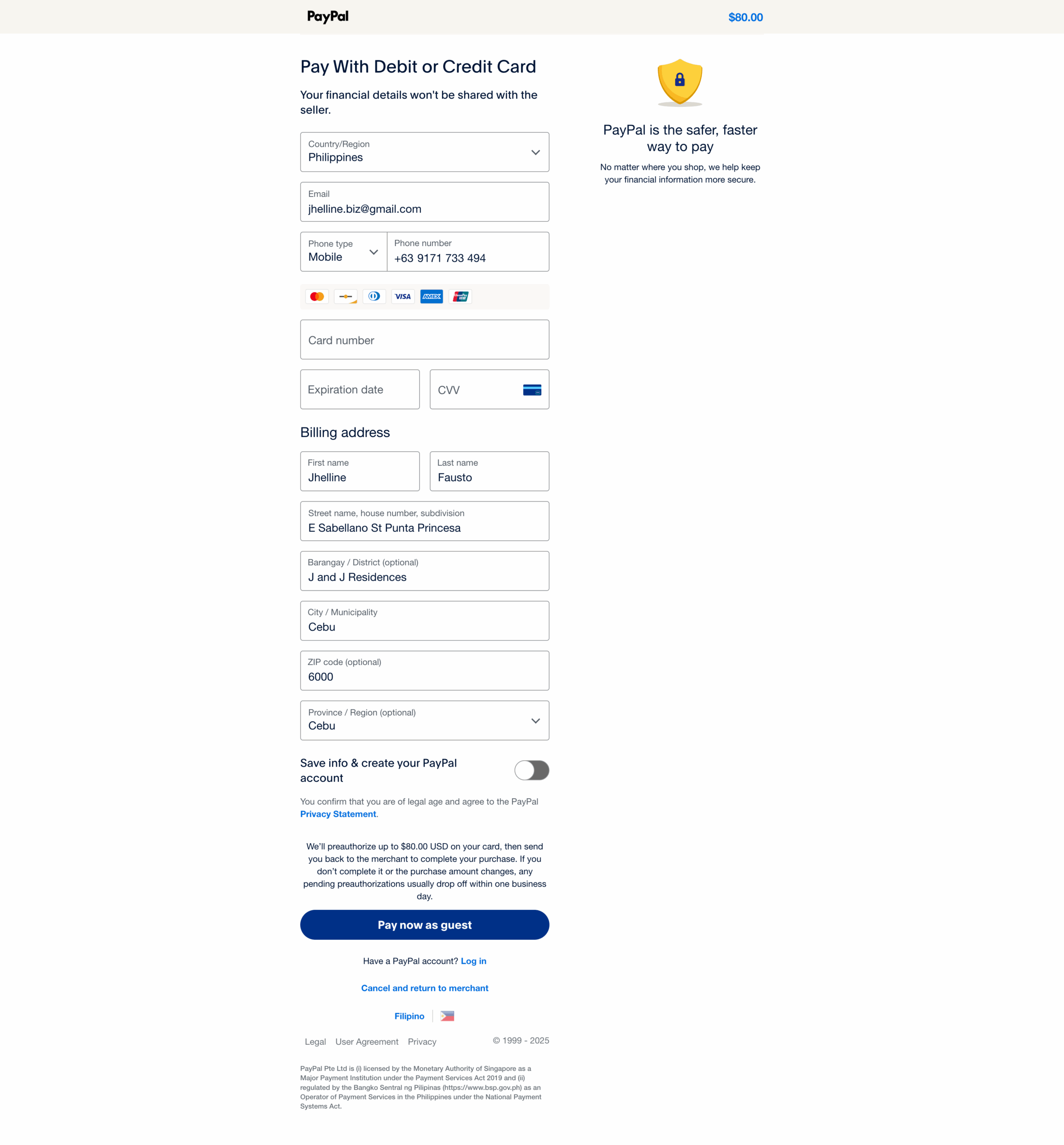
3. Enter Your Credit Card Details
Add your credit card information and proceed to checkout.
You’re done! Your order will be processed successfully.
Scenario 2: Your Email is NOT Linked to a PayPal Account
If PayPal recognizes your email as already linked to an existing PayPal account, here’s what you’ll see:
1. Choose Guest Checkout
The page will give you two options: log in or "Pay with a bank or credit card." Select the latter.
2. Enter Your Credit Card Details & Disable PayPal Account Creation
Fill in your credit card information and make sure the option "Save your info and create a PayPal account" is unchecked.
3. Click "Pay Now" as a Guest
This allows you to complete your payment without creating a PayPal account.
You’re done! Your order will be processed successfully.


BECOME A SPONSOR
Gain access to over 2,000 industry professionals by becoming a sponsor of PDA Delaware Valley!

EVENTS
Check out our Events Calendar! With events ranging from breakfast symposiums to vendor nights to science fairs, we cater to the entire industry!


CONTACT US
For more information on chapter activities, please send your query to pdadelval@gmail.com